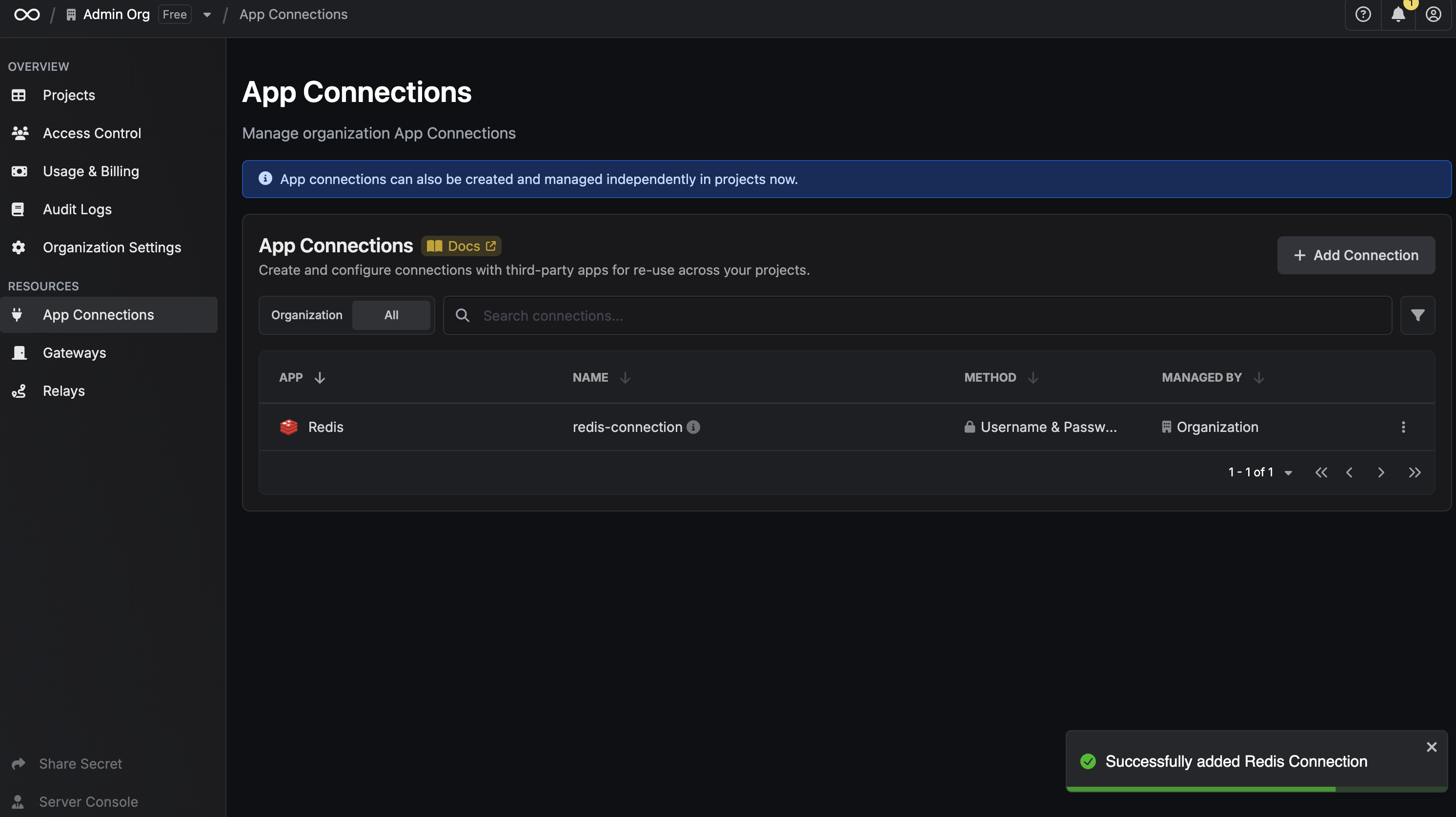
Infisical supports the use of Username & Password authentication to connect with Redis databasesDocumentation Index
Fetch the complete documentation index at: https://infisical-saif-eng-4890-add-support-for-oracle-db-access-in.mintlify.app/llms.txt
Use this file to discover all available pages before exploring further.
Configure a Redis user for Infisical
Create a Redis user
Infisical recommends creating a designated user in your Redis database for your connection.
Create Redis Connection in Infisical
- Infisical UI
- API
Navigate to App Connections
In your Infisical dashboard, navigate to the Integrations tab in the desired project, then select App Connections.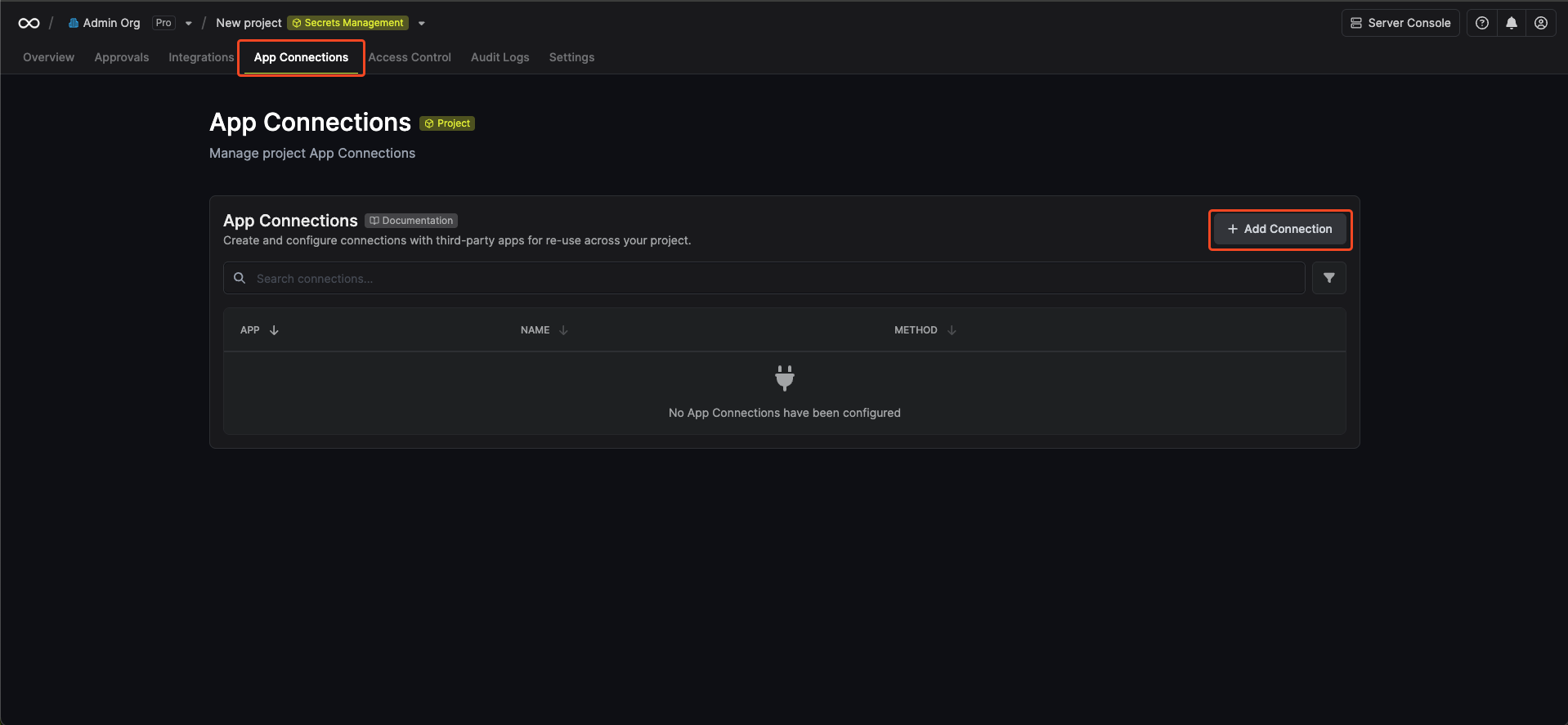
Select Redis Connection
Click the + Add Connection button and select the Redis Connection option from the available integrations.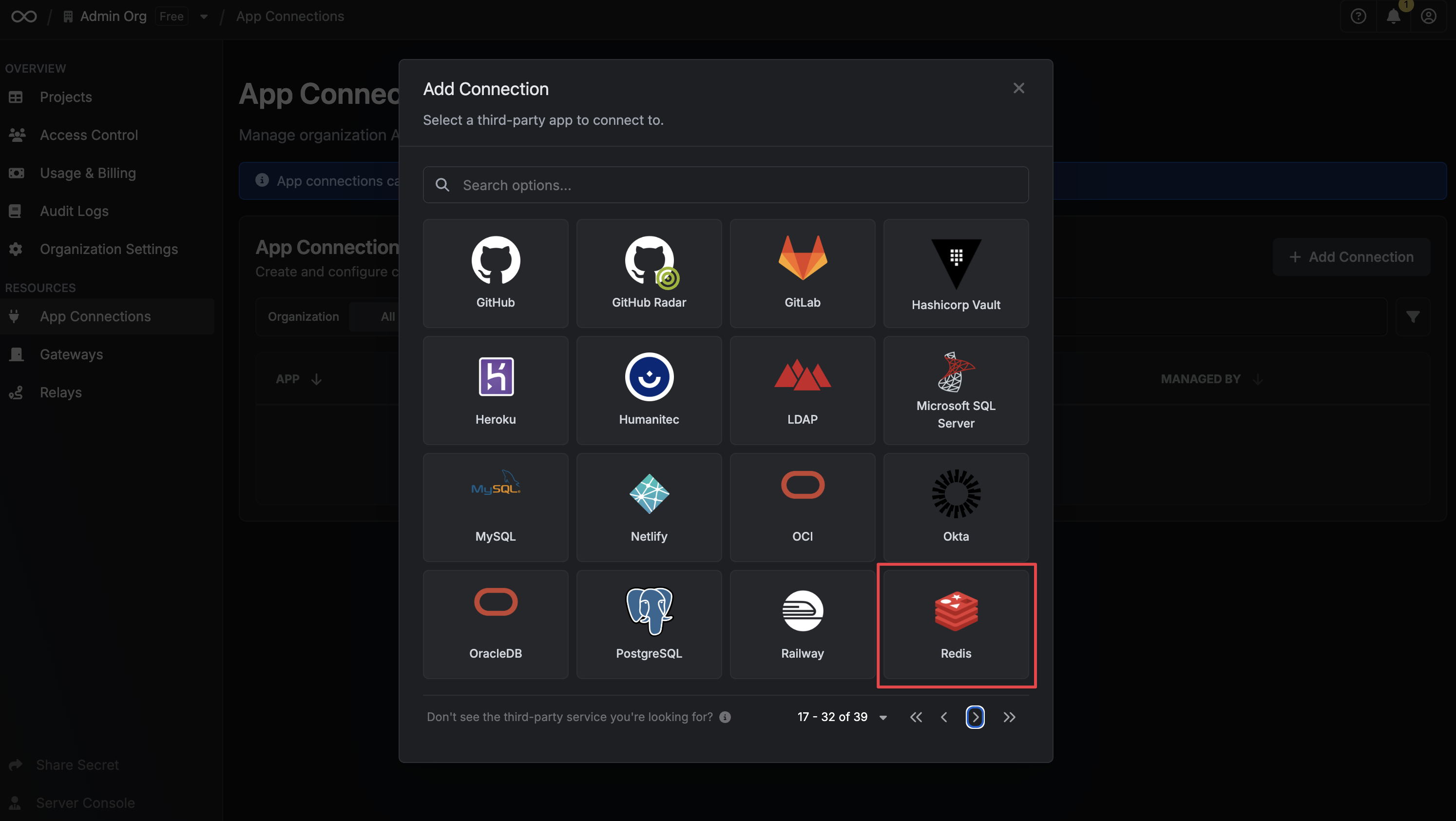
Fill out the Redis Connection Modal
Complete the Redis Connection form by entering: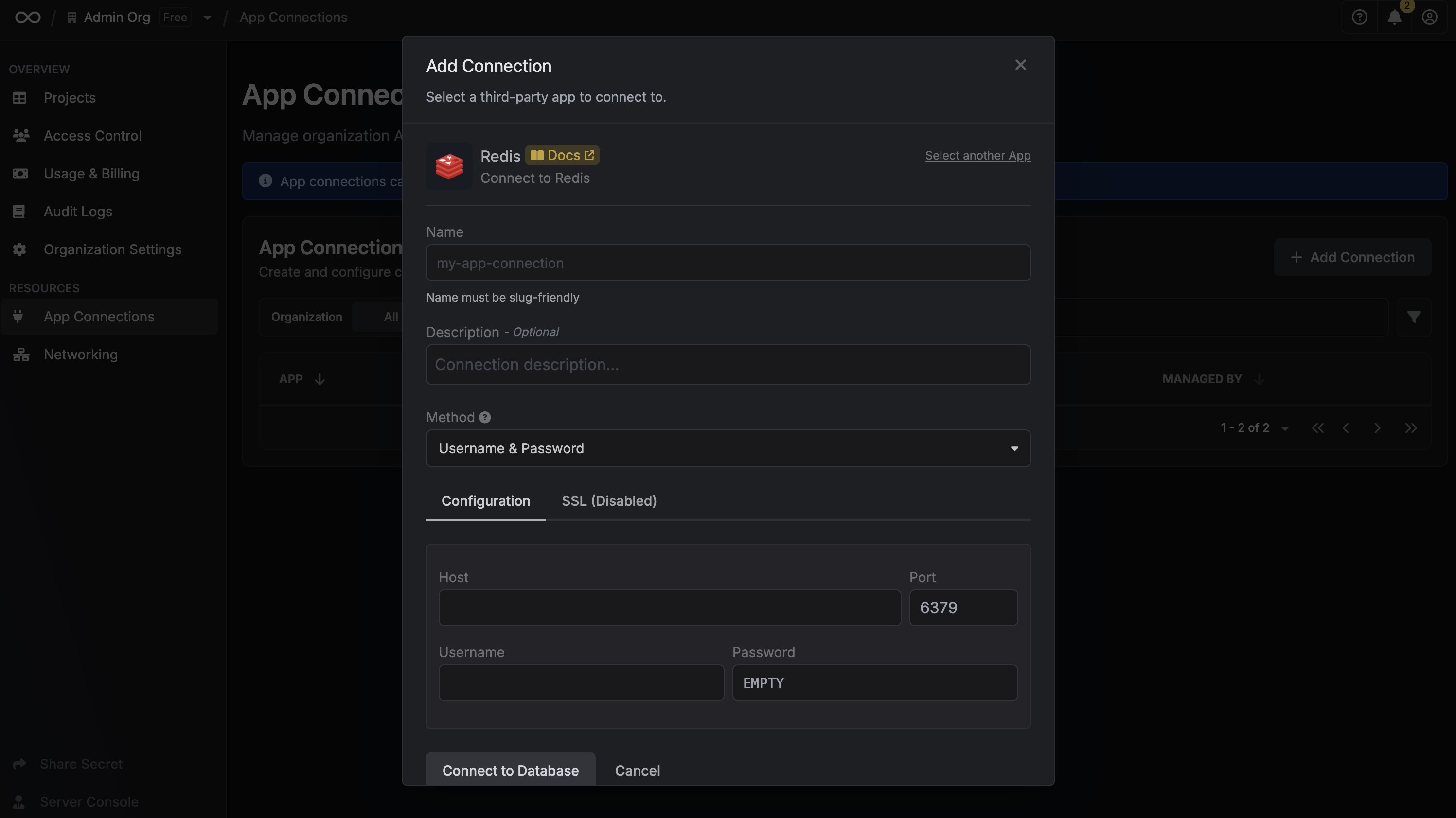
- A descriptive name for the connection
- An optional description for future reference
- The Redis host URL for your database
- The Redis port for your Redis database
- The Redis username for your Redis database
- The Redis password for your Redis database