Infisical currently only supports two methods for connecting to Azure, which are OAuth and Client Secrets.Documentation Index
Fetch the complete documentation index at: https://infisical-saif-eng-4890-add-support-for-oracle-db-access-in.mintlify.app/llms.txt
Use this file to discover all available pages before exploring further.
Self-Hosted Instance
Self-Hosted Instance
Using the Azure Client Secrets connection on a self-hosted instance of Infisical requires configuring an application in Azure
and registering your instance with it.Prerequisites:
- Set up Azure.
Create an application in Azure
Navigate to Azure Active Directory > App registrations to create a new application.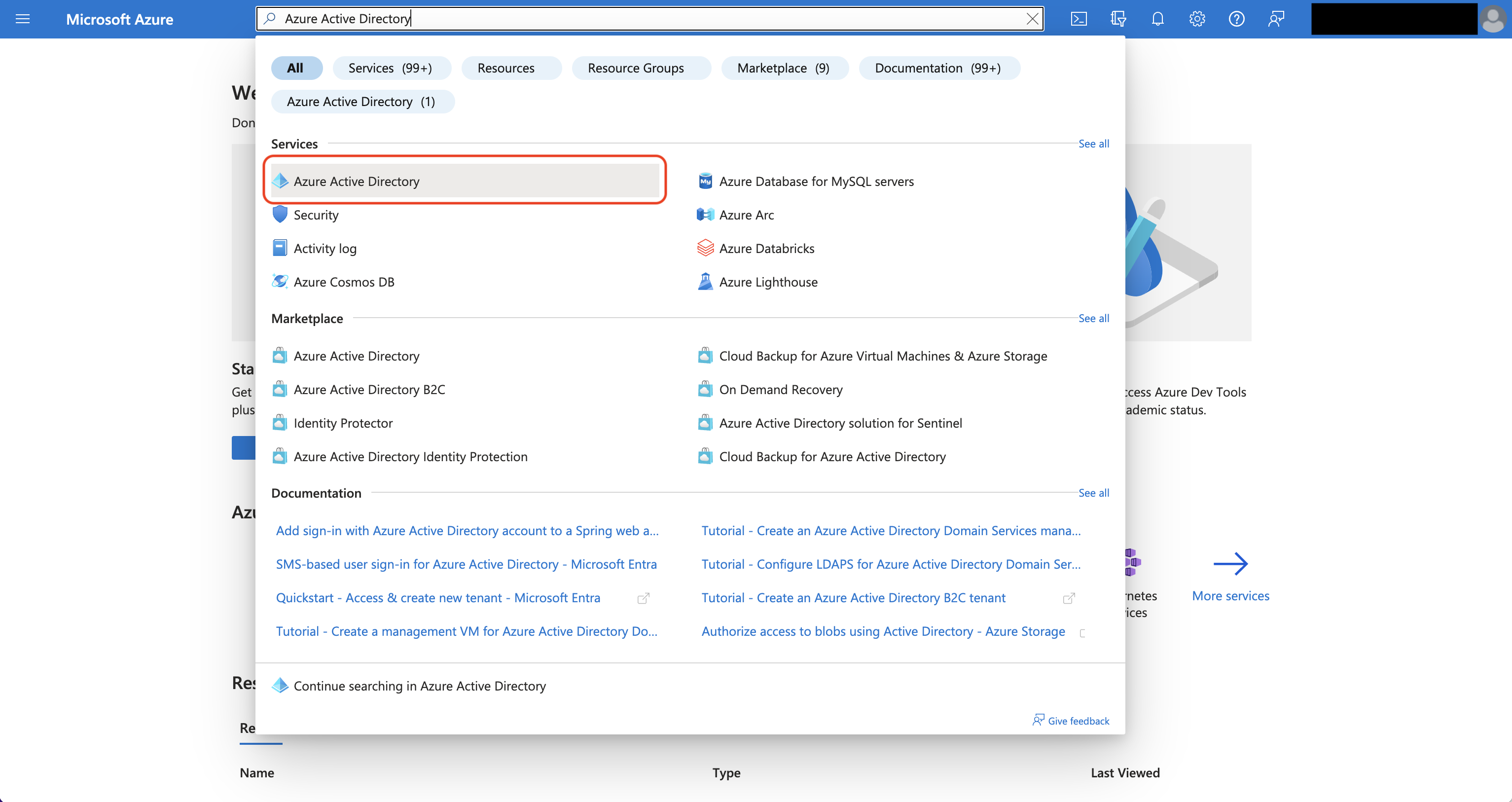
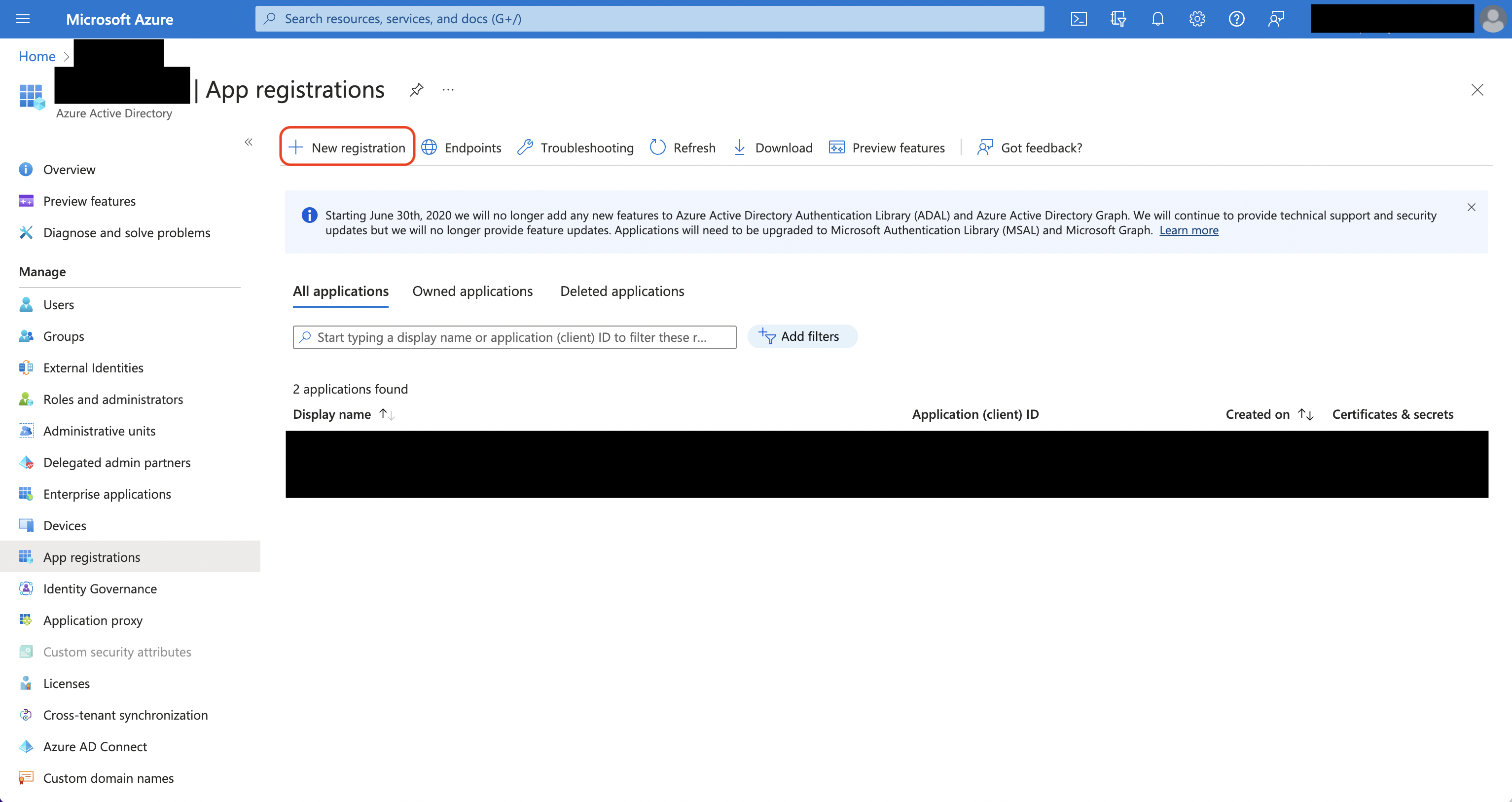 Create the application. As part of the form, set the Redirect URI to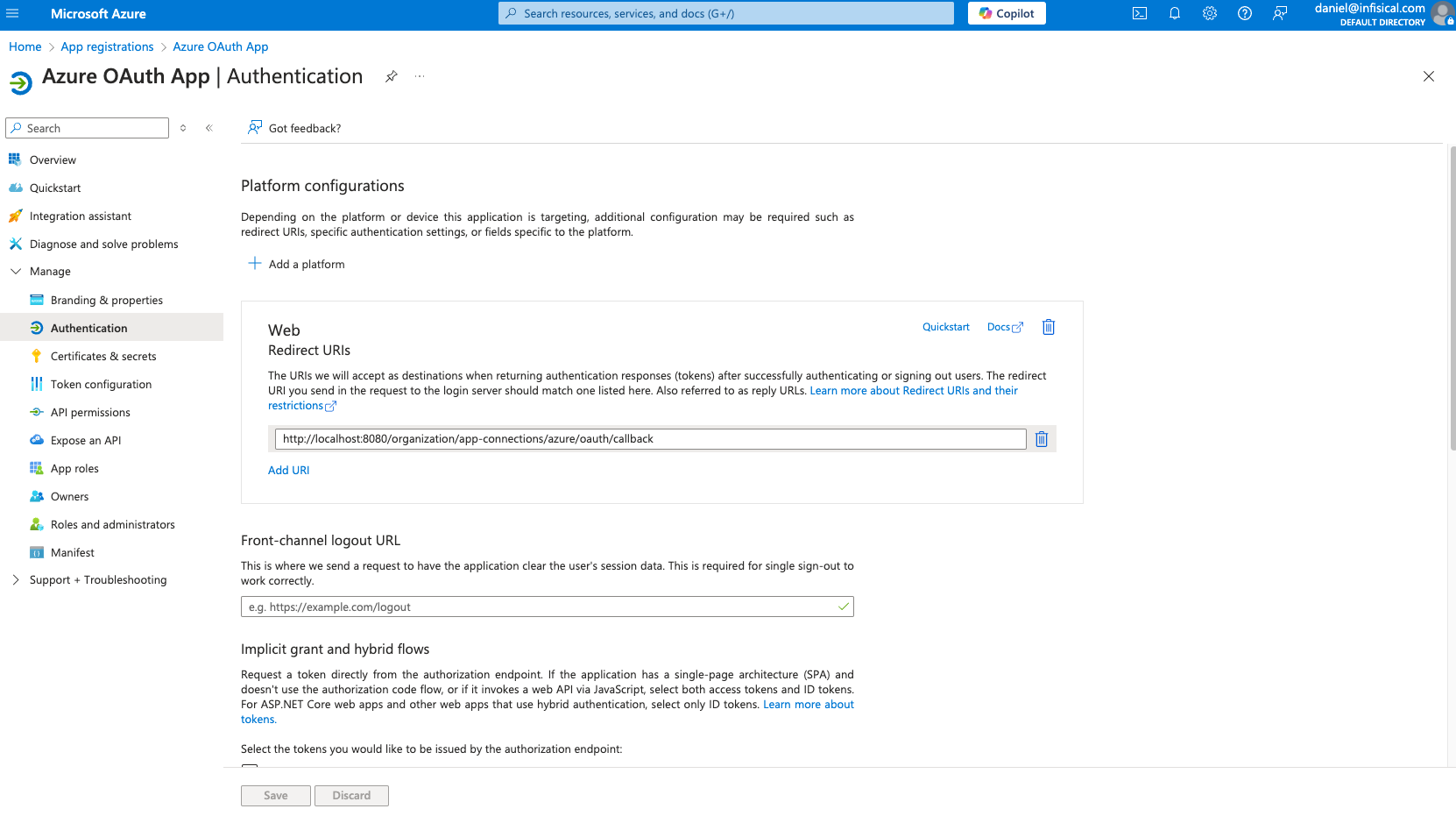
Azure Active Directory is now Microsoft Entra ID.
Create the application. As part of the form, set the Redirect URI to https://your-domain.com/organization/app-connections/azure/oauth/callback.Assign API permissions to the application
For the Azure Connection to work with Client Secrets, you need to assign the following permission to the application.
Azure Client Secrets permissions
Set the API permissions of the Azure application to include the following permissions:- Microsoft Graph
-
Application.ReadWrite.All -
Application.ReadWrite.OwnedBy -
Application.ReadWrite.All(Delegated) -
Directory.ReadWrite.All(Delegated) -
User.Read(Delegated)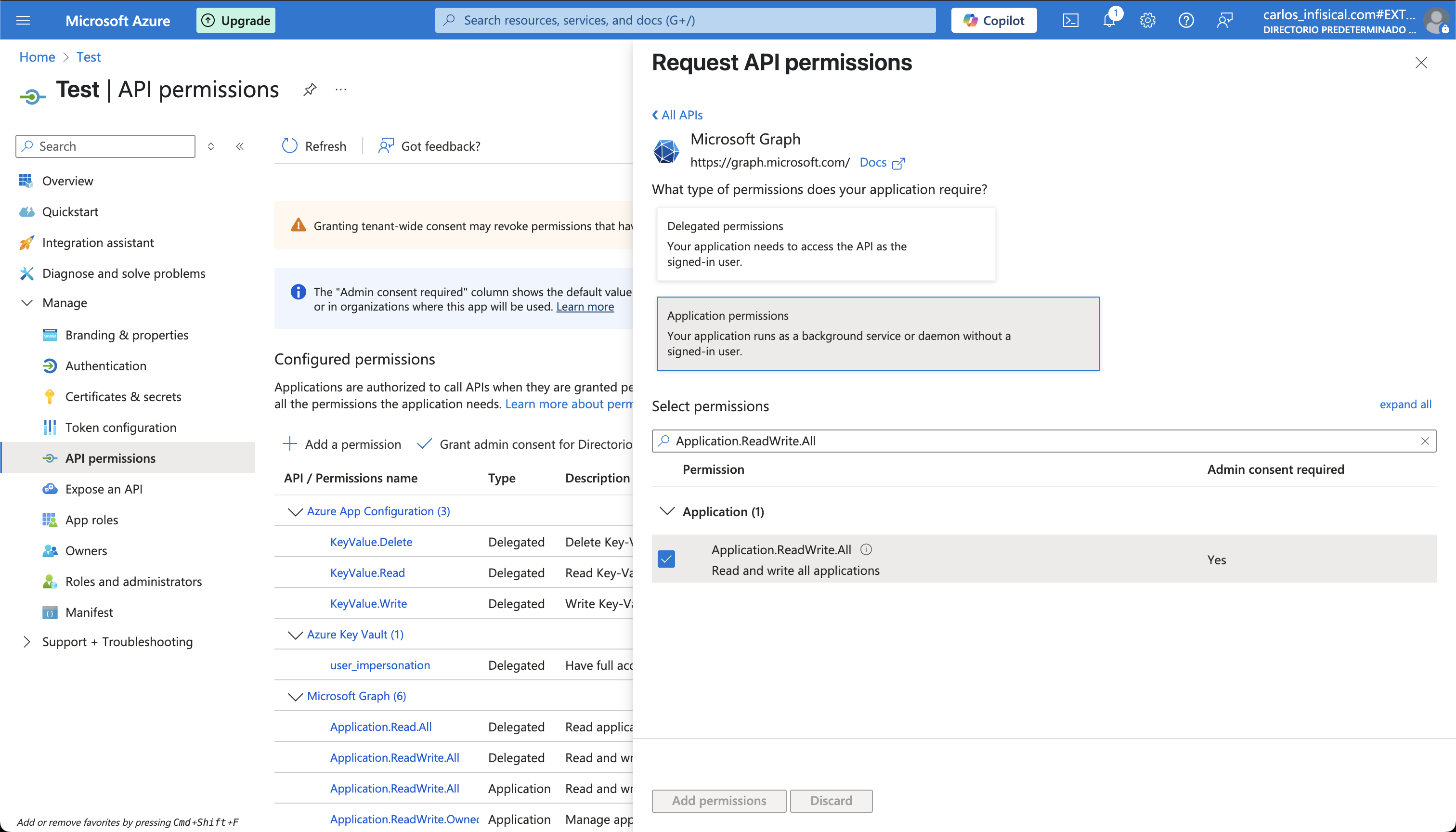
-
Add your application credentials to Infisical
Obtain the Application (Client) ID and Directory (Tenant) ID (this will be used later in the Infisical connection) in Overview and generate a Client Secret in Certificate & secrets for your Azure application.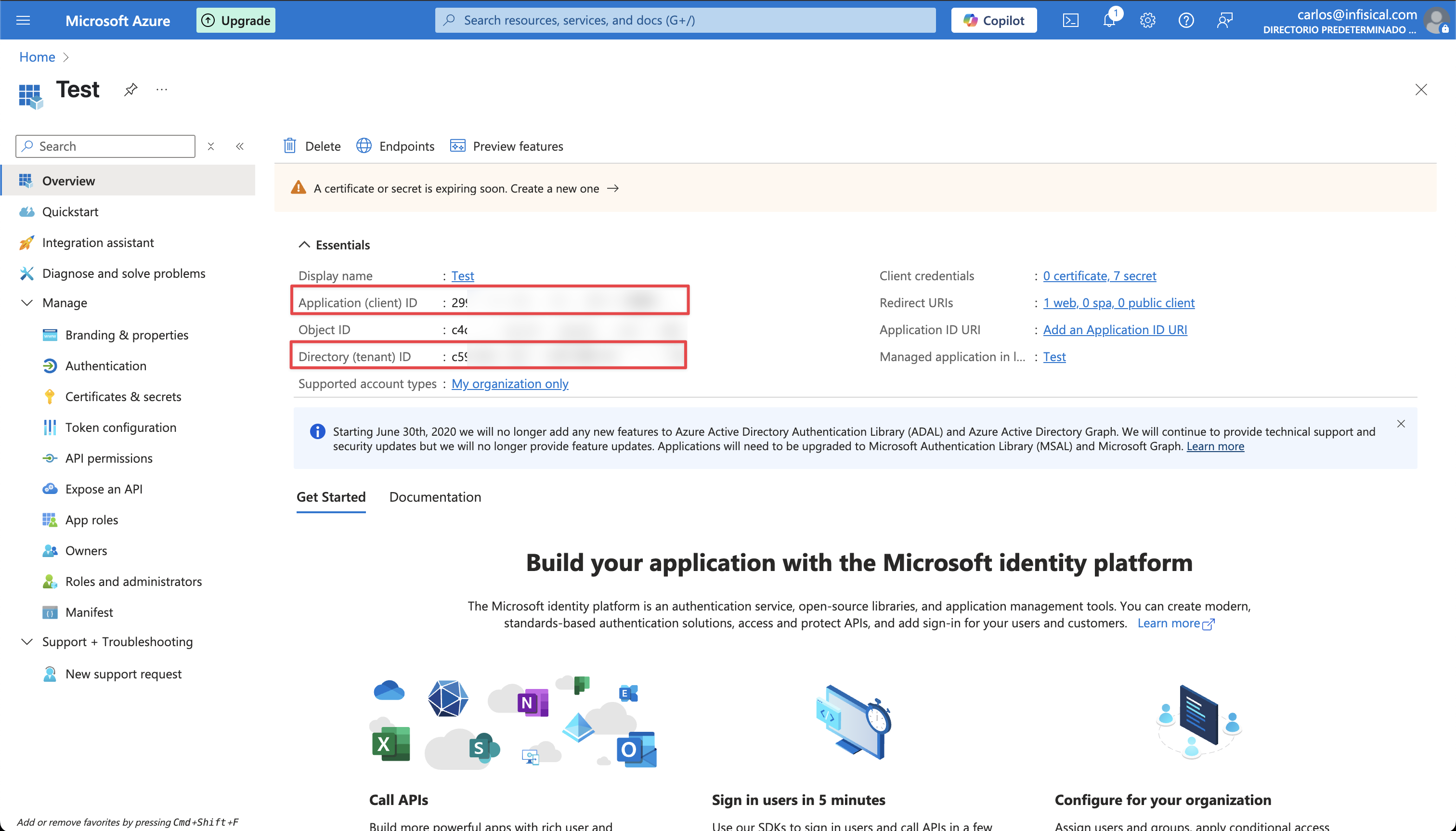
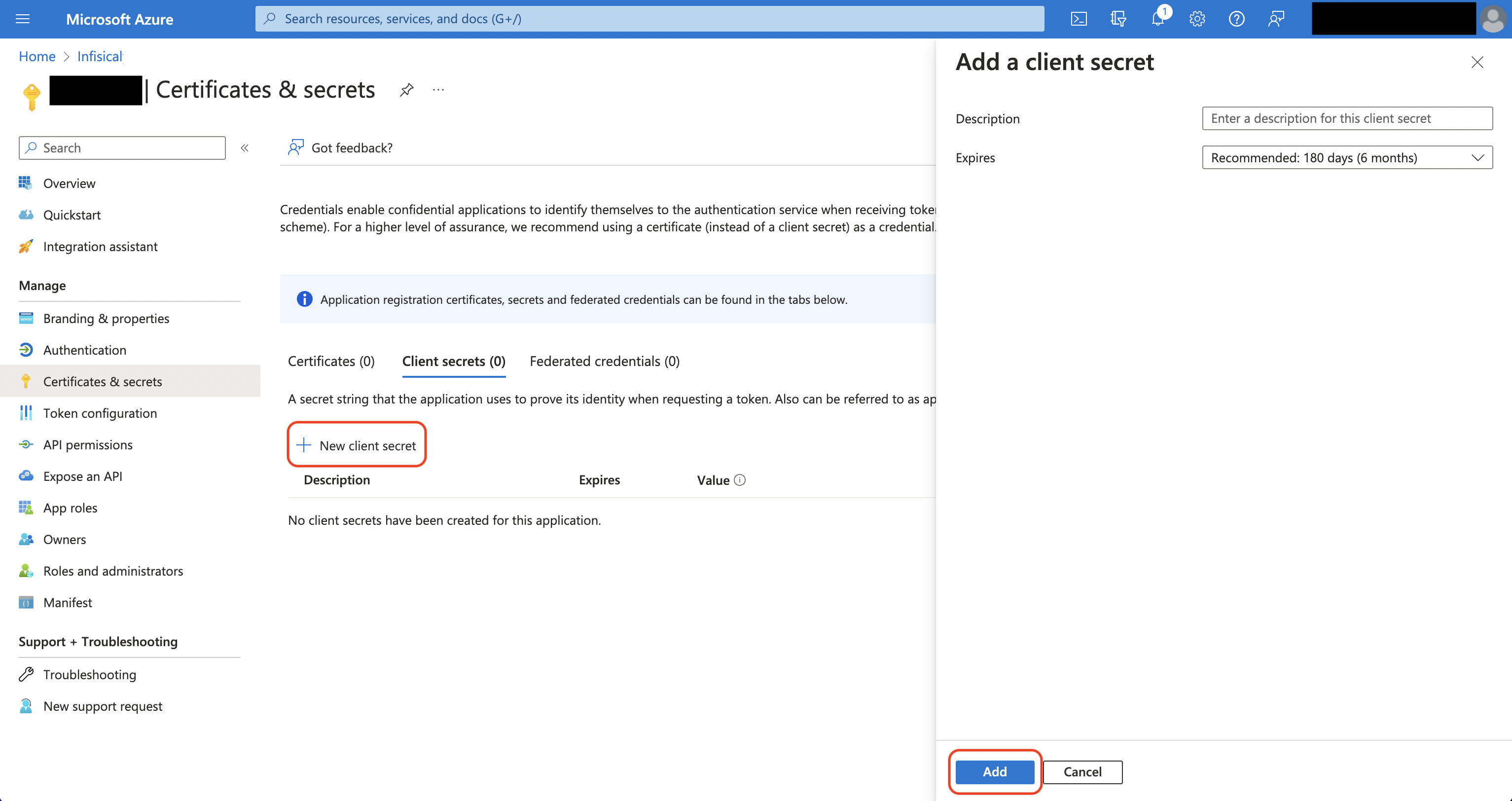
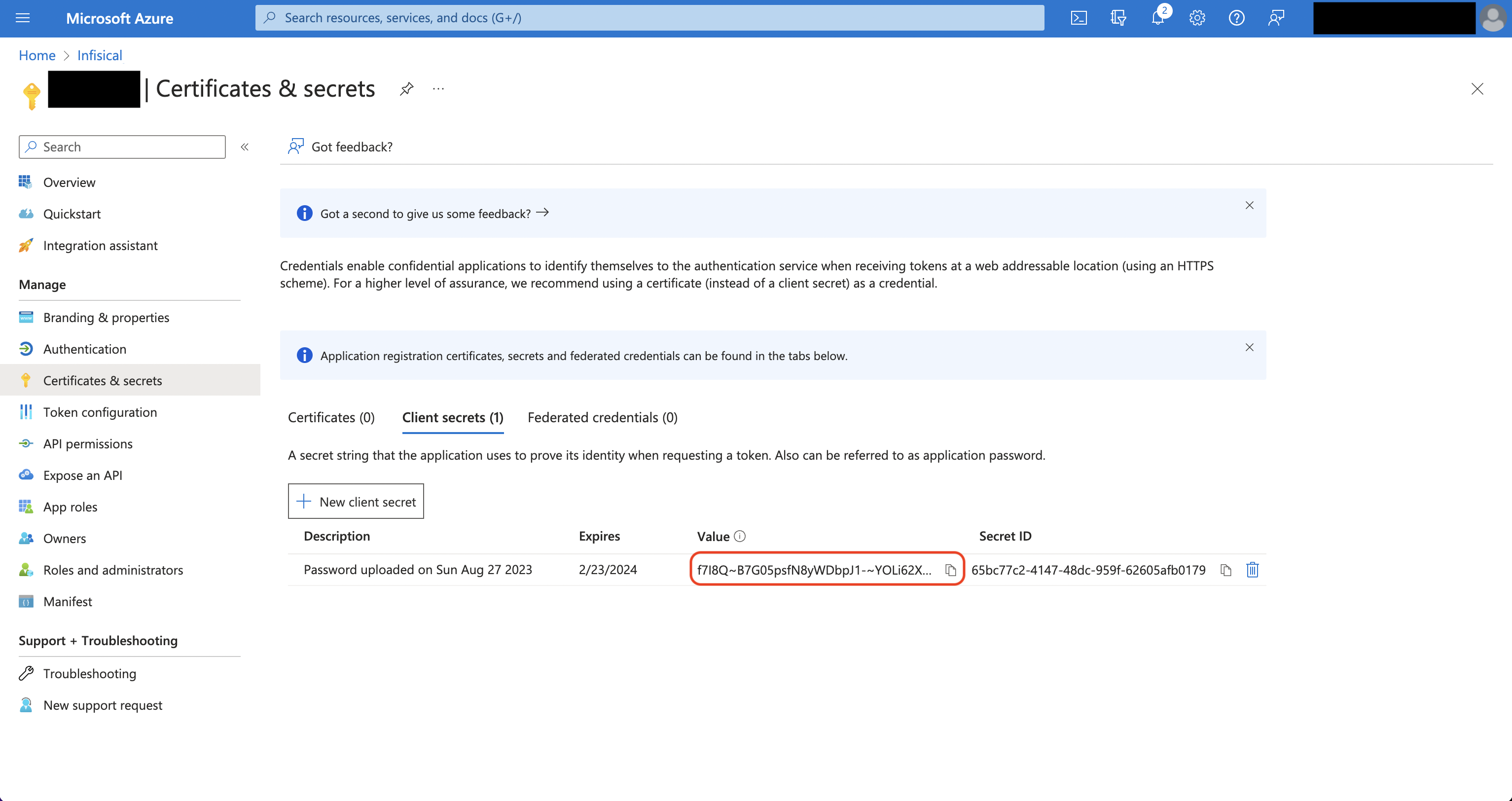 Back in your Infisical instance, add two new environment variables for the credentials of your Azure application.
Back in your Infisical instance, add two new environment variables for the credentials of your Azure application.INF_APP_CONNECTION_AZURE_CLIENT_SECRETS_CLIENT_ID: The Application (Client) ID of your Azure application.INF_APP_CONNECTION_AZURE_CLIENT_SECRETS_CLIENT_SECRET: The Client Secret of your Azure application.
Client Secret Authentication
Client Secret Authentication
Ensure your Azure application has the required permissions that Infisical needs for the Azure Client Secrets connection to work.Prerequisites:
- An active Azure setup.
Assign API permissions to the application
For the Azure Client Secrets connection to work, assign the following permissions to your Azure application:
Required API Permissions
Microsoft Graph-
Application.ReadWrite.All -
Application.ReadWrite.OwnedBy -
Application.ReadWrite.All(Delegated) -
Directory.ReadWrite.All(Delegated) -
User.Read(Delegated)
Certificate Authentication
Certificate Authentication
Ensure your Azure application has the required permissions that Infisical needs for the Azure Client Secrets connection to work.Prerequisites:
- An active Azure setup.
Assign API permissions to the application
For the Azure Client Secrets connection to work, assign the following permissions to your Azure application:
Required API Permissions
Microsoft Graph-
Application.ReadWrite.All -
Application.ReadWrite.OwnedBy -
Application.ReadWrite.All(Delegated) -
Directory.ReadWrite.All(Delegated) -
User.Read(Delegated)
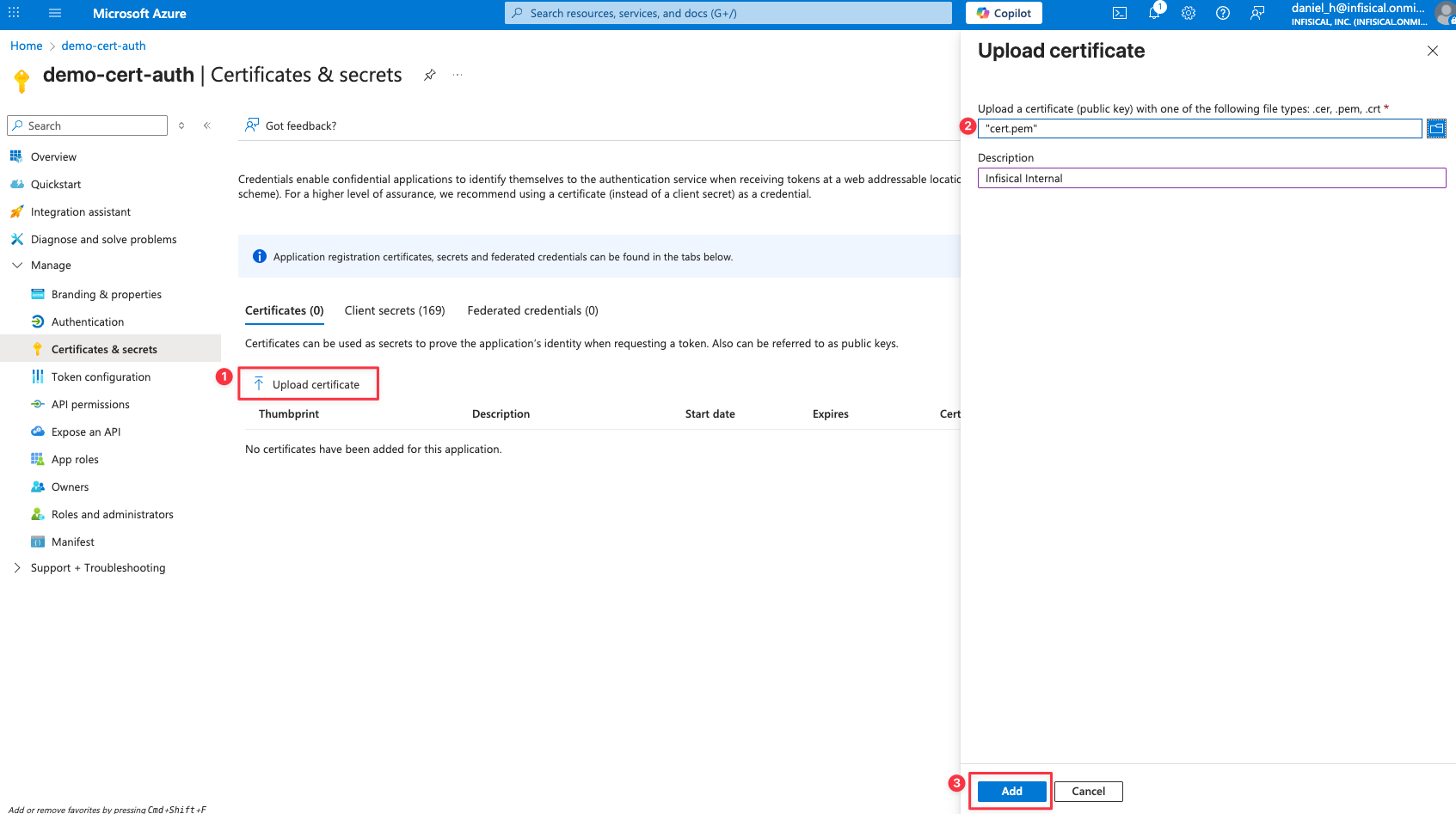
Setup Azure Connection in Infisical
Navigate to App Connections
Navigate to the Integrations tab in the desired project, then select App Connections. 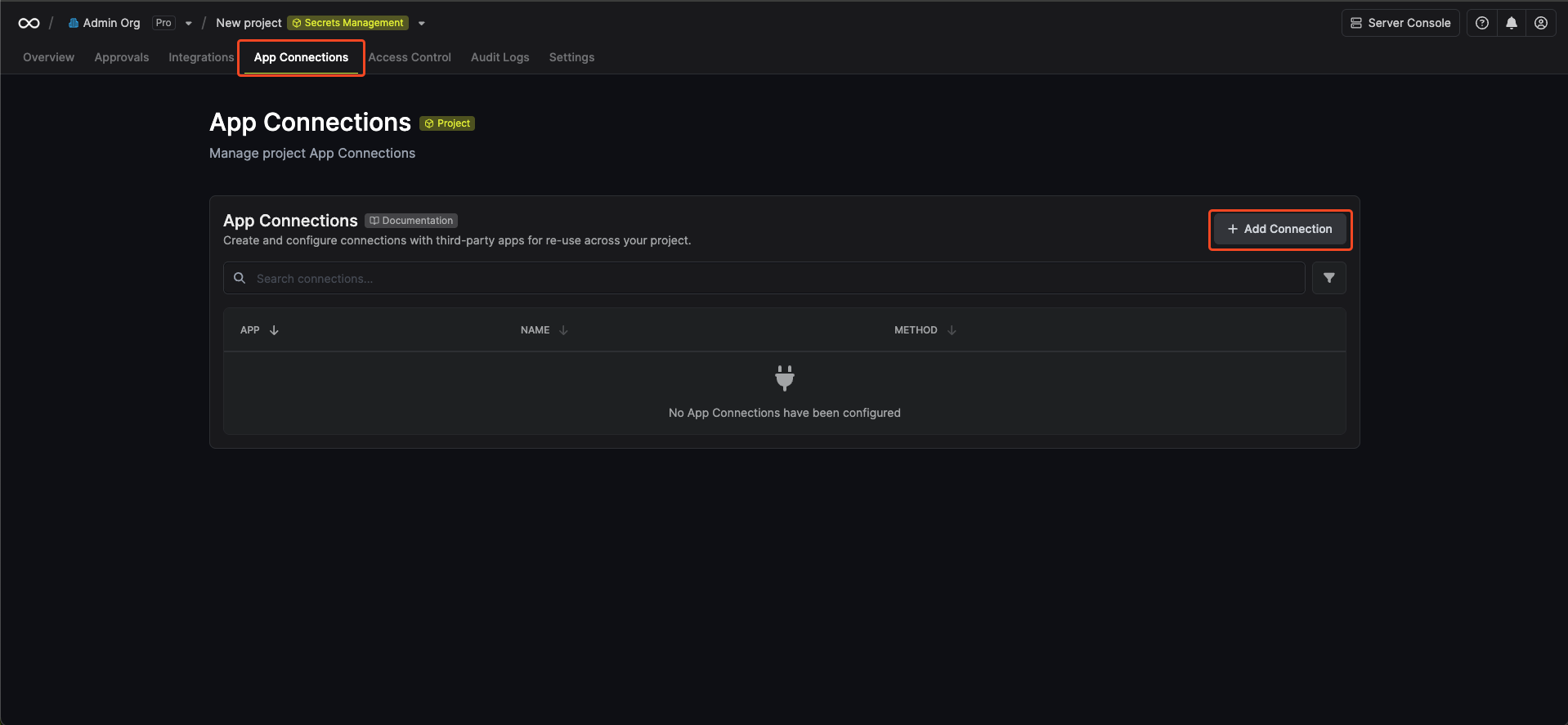
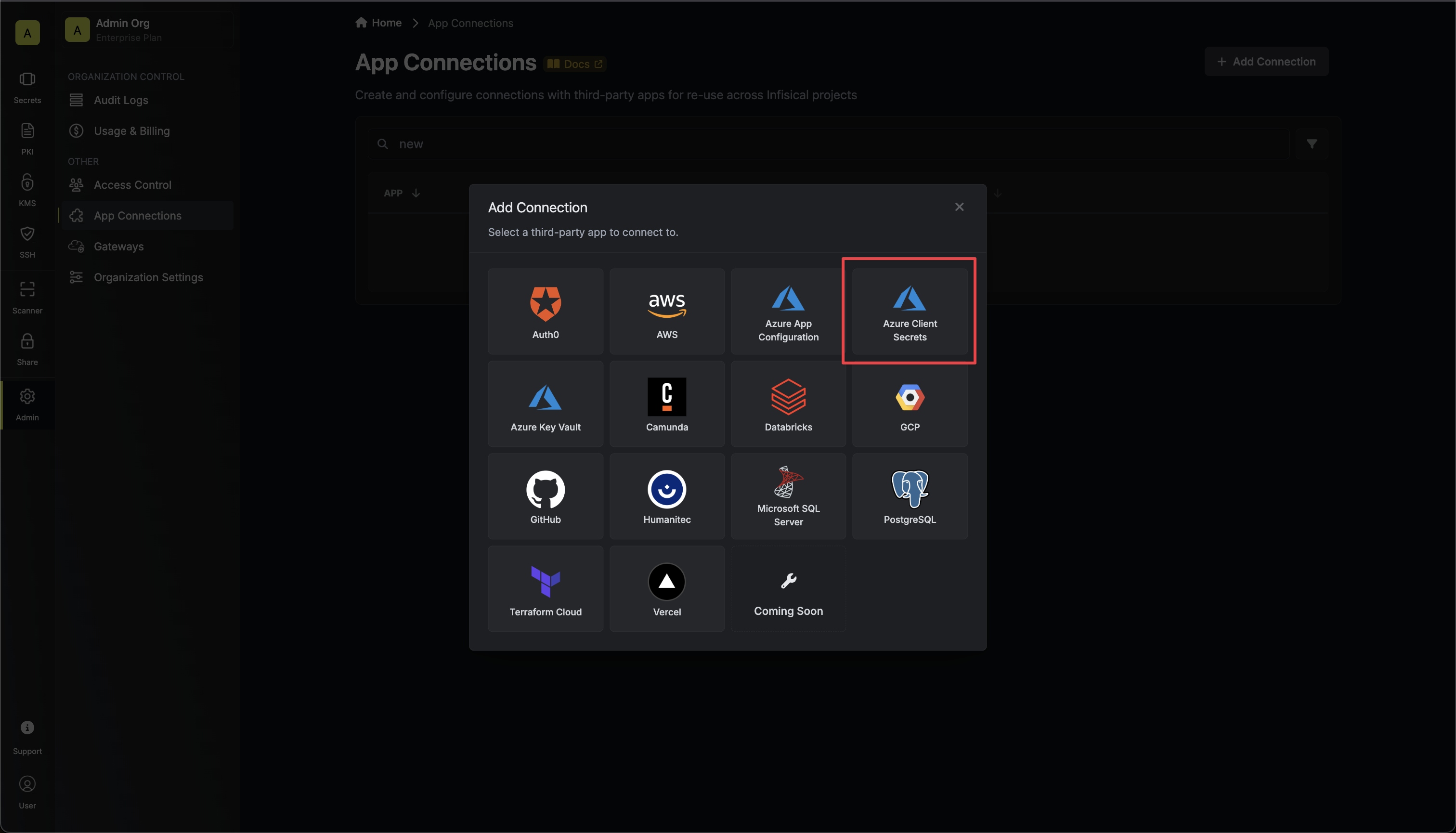
Create Connection
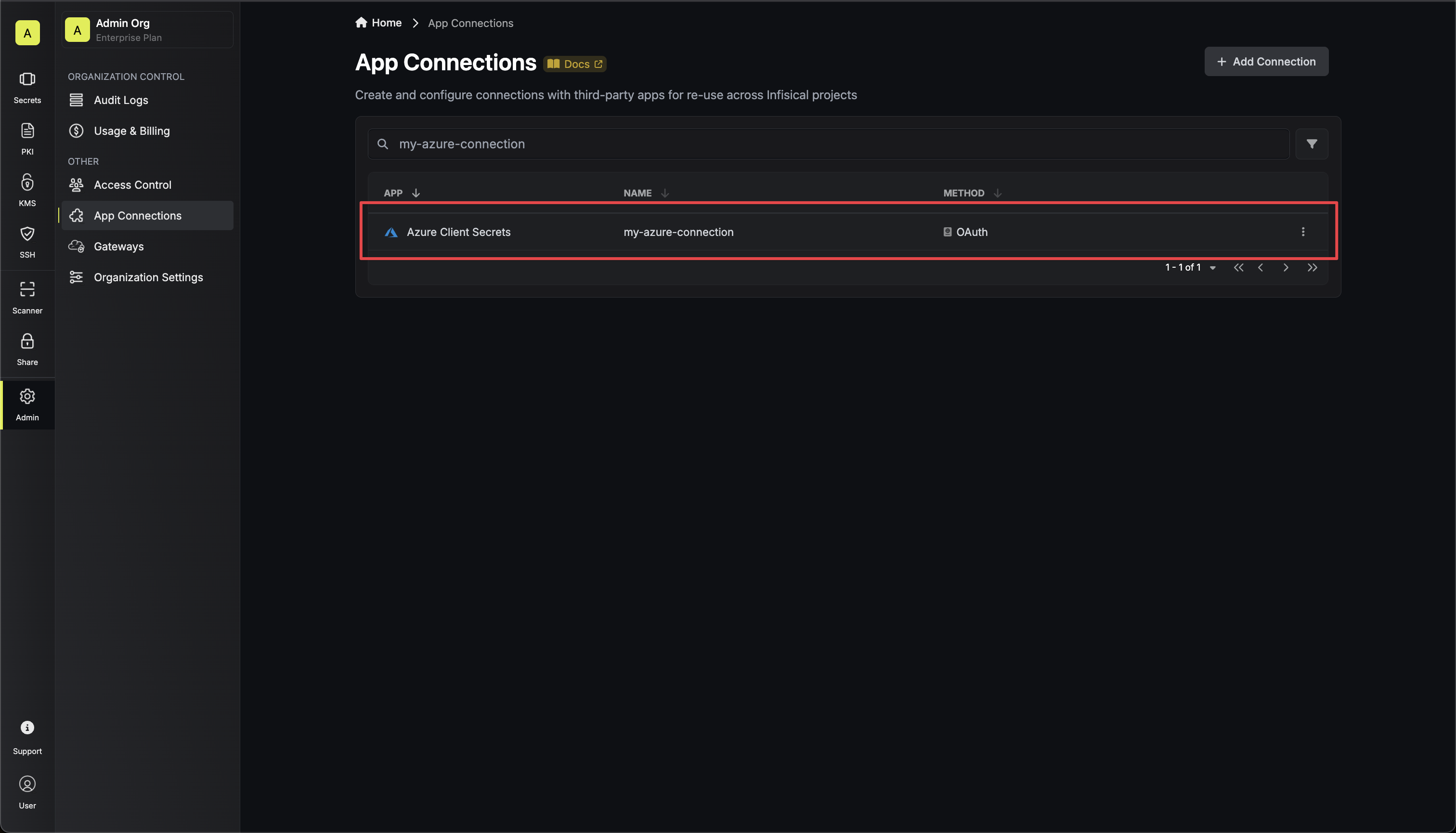
- OAuth
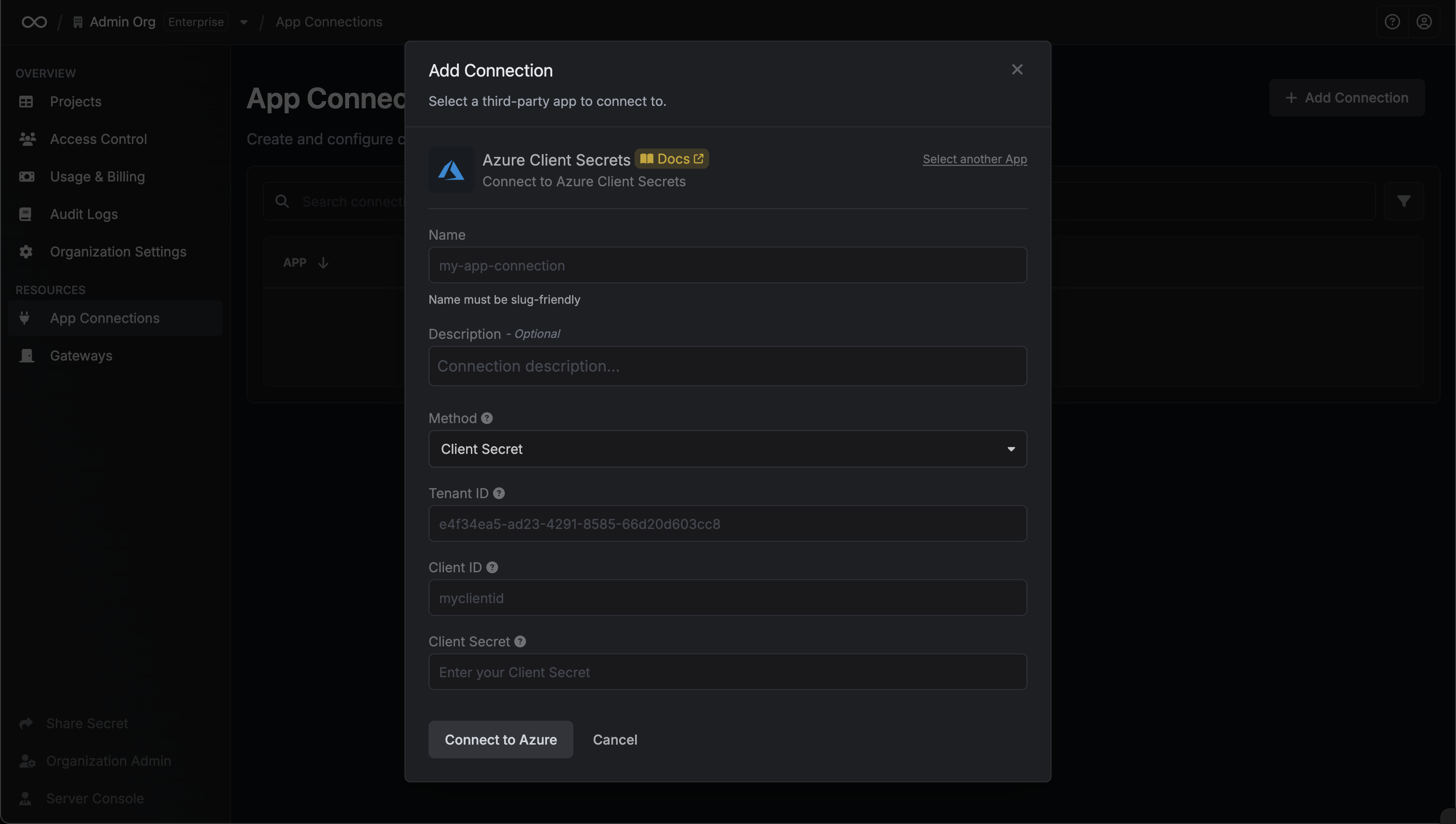
- Client Secret
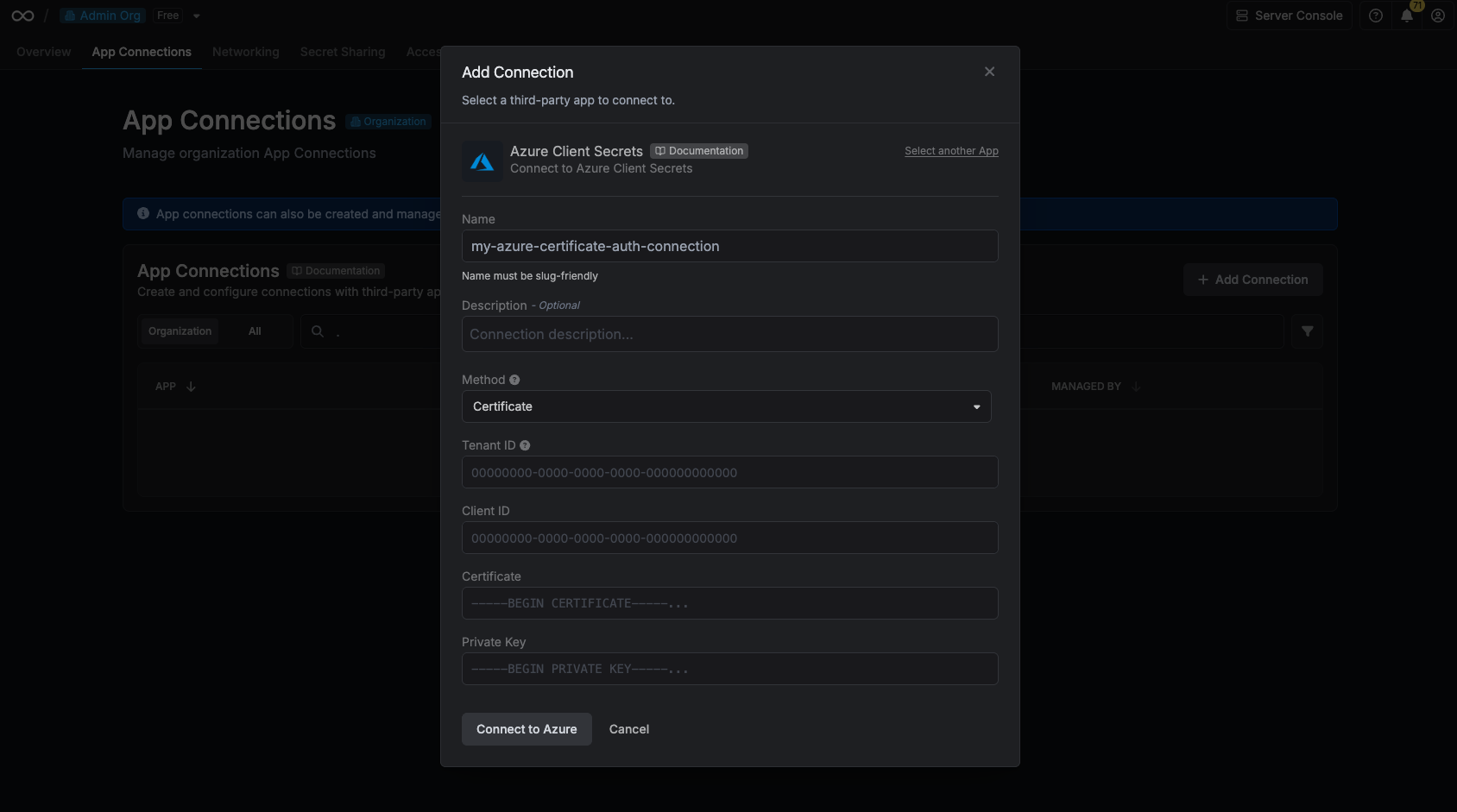
- Certificate
Authorize Connection
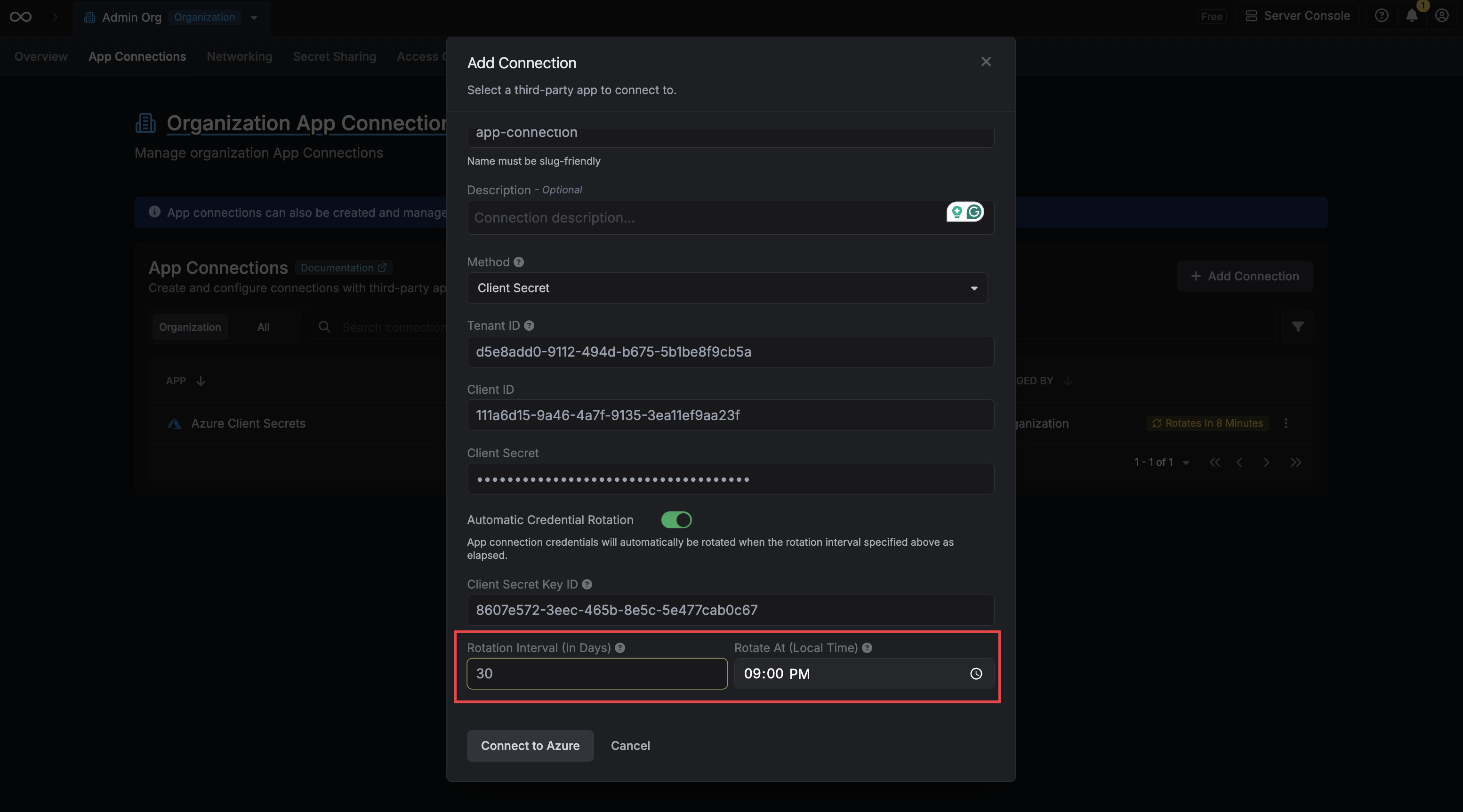
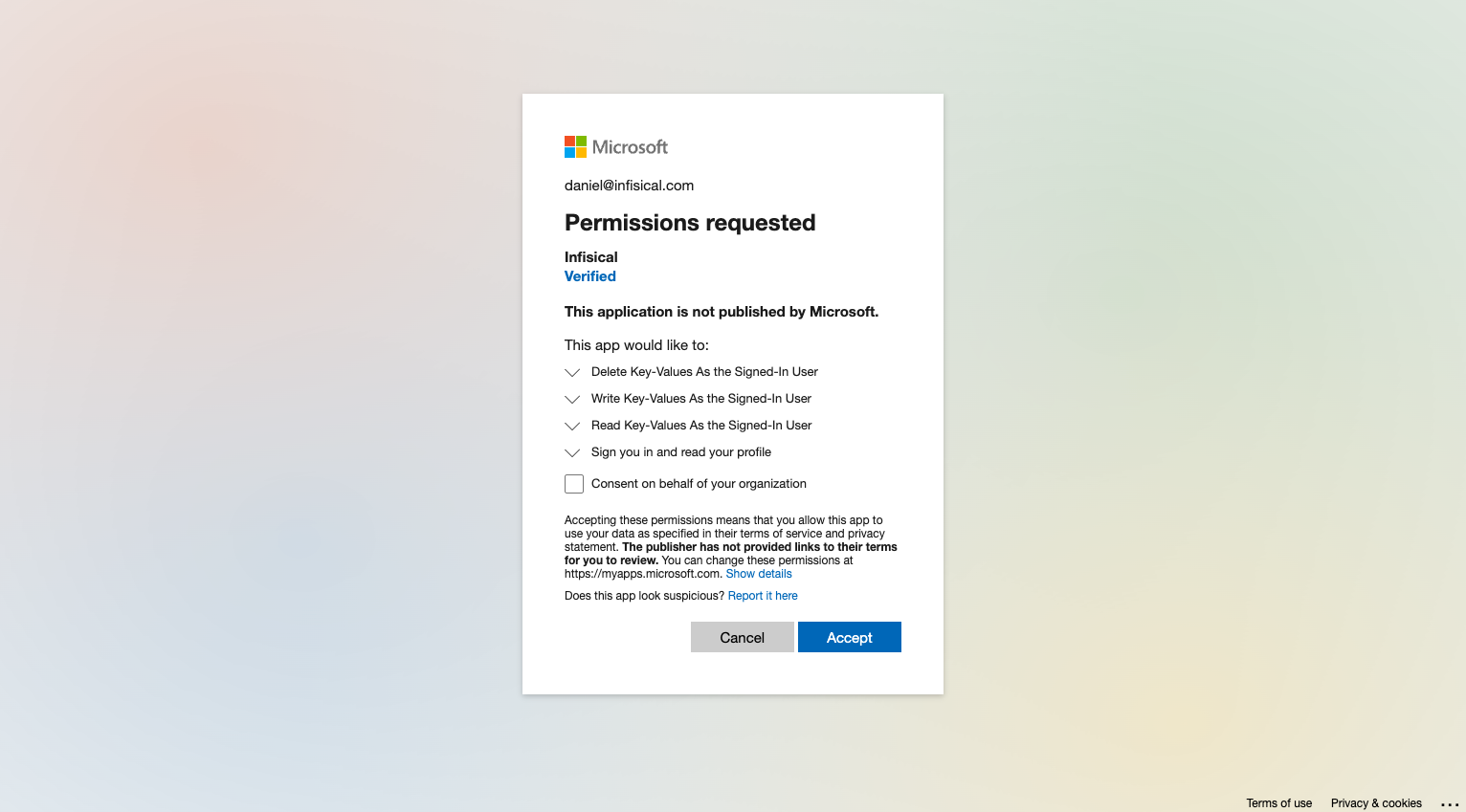
Fill in the Tenant ID field with the Directory (Tenant) ID you obtained in the previous step.Now select the OAuth method and click Connect to Azure.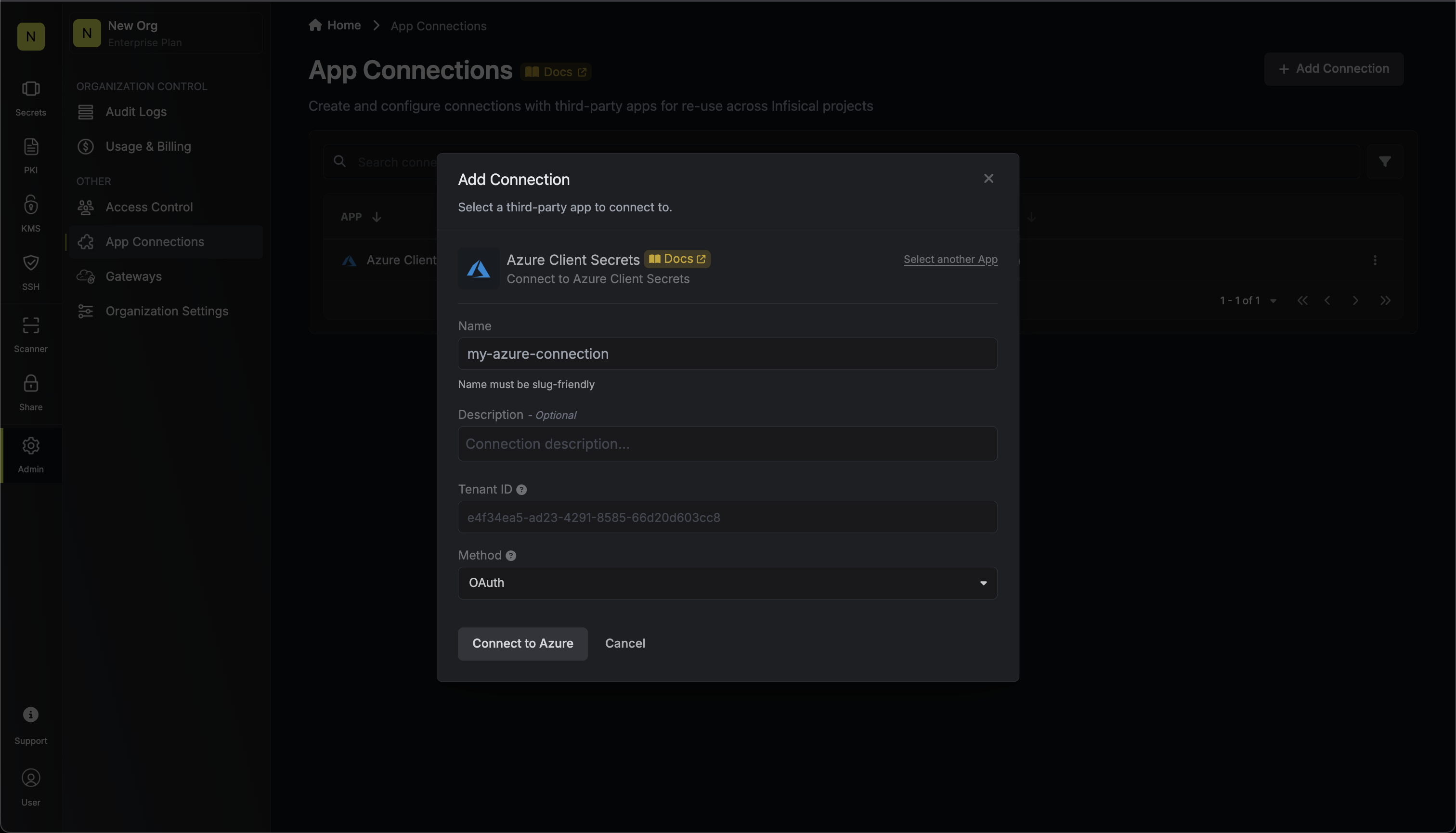
Automatic Credential Rotation
When using the Client Secret authentication method, Infisical can automatically rotate the Client Secret of your Azure application on a recurring schedule. When enabled, Infisical will immediately generate a new Client Secret on connection creation and revoke the original one, ensuring that no external party retains access using the credentials you provided.Automatic Credential Rotation is only available for the Client Secret authentication method.
Locate the Key ID of your Client Secret
Before enabling rotation, you’ll need the Key ID of the Client Secret you are using to authenticate. Navigate to your App Registration in the Azure Portal, then go to Certificates & secrets. Copy the Secret ID (Key ID) of the secret you are providing to Infisical.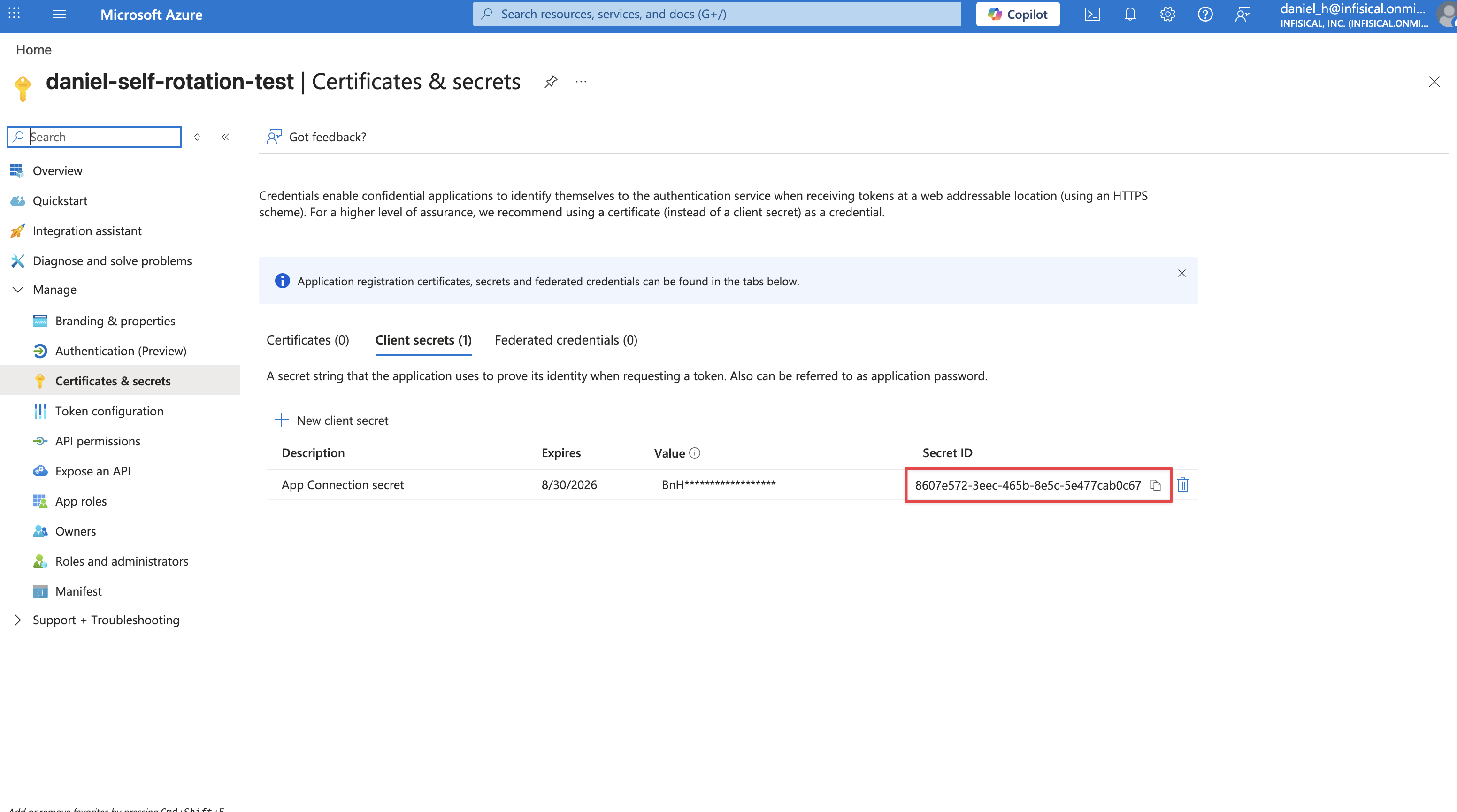
Enable Automatic Credential Rotation
When creating or editing your connection, toggle on the Automatic Credential Rotation switch.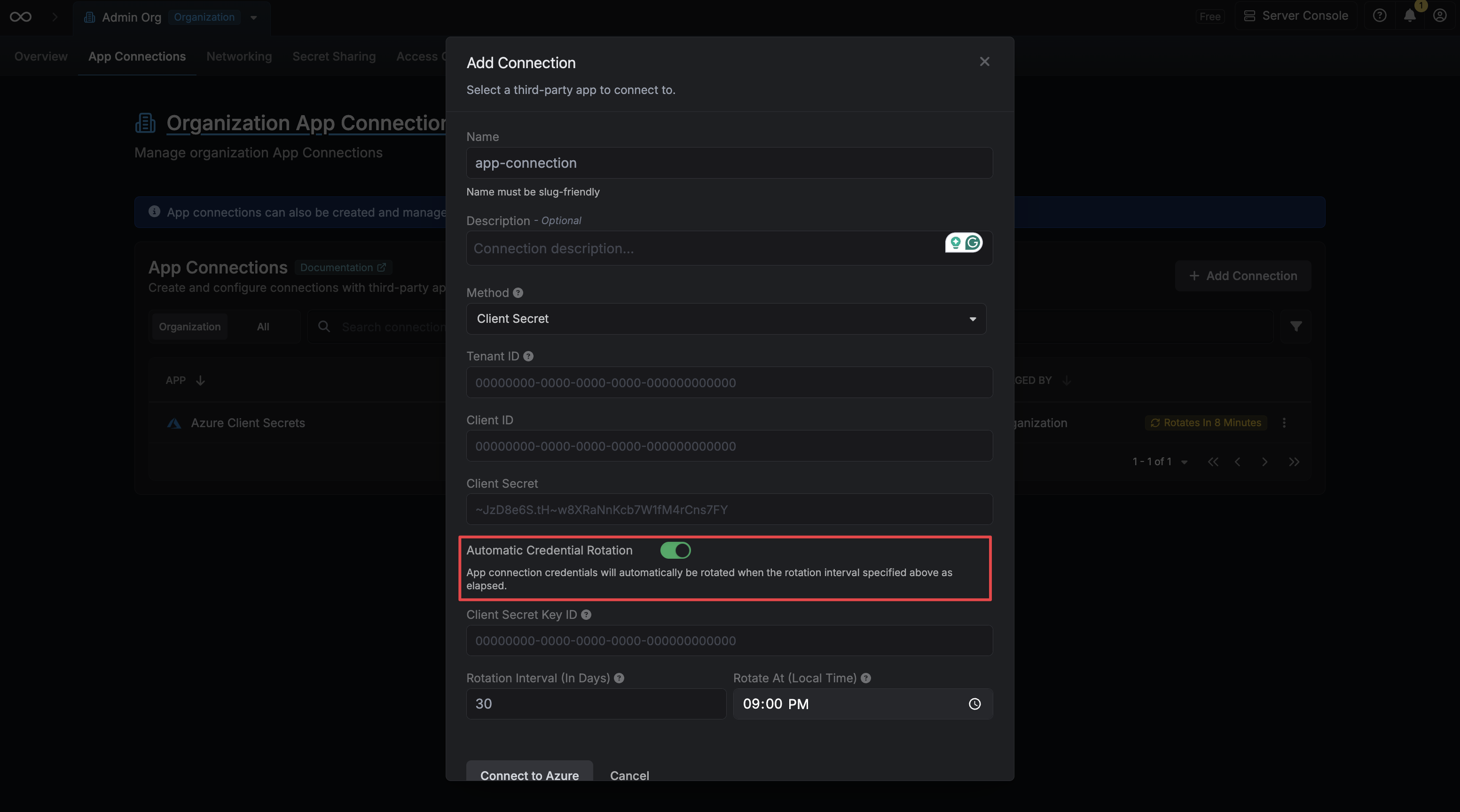
Provide the Client Secret Key ID
Enter the Key ID you copied in the previous step into the Client Secret Key ID field. Infisical uses this to revoke your original secret after generating a new one.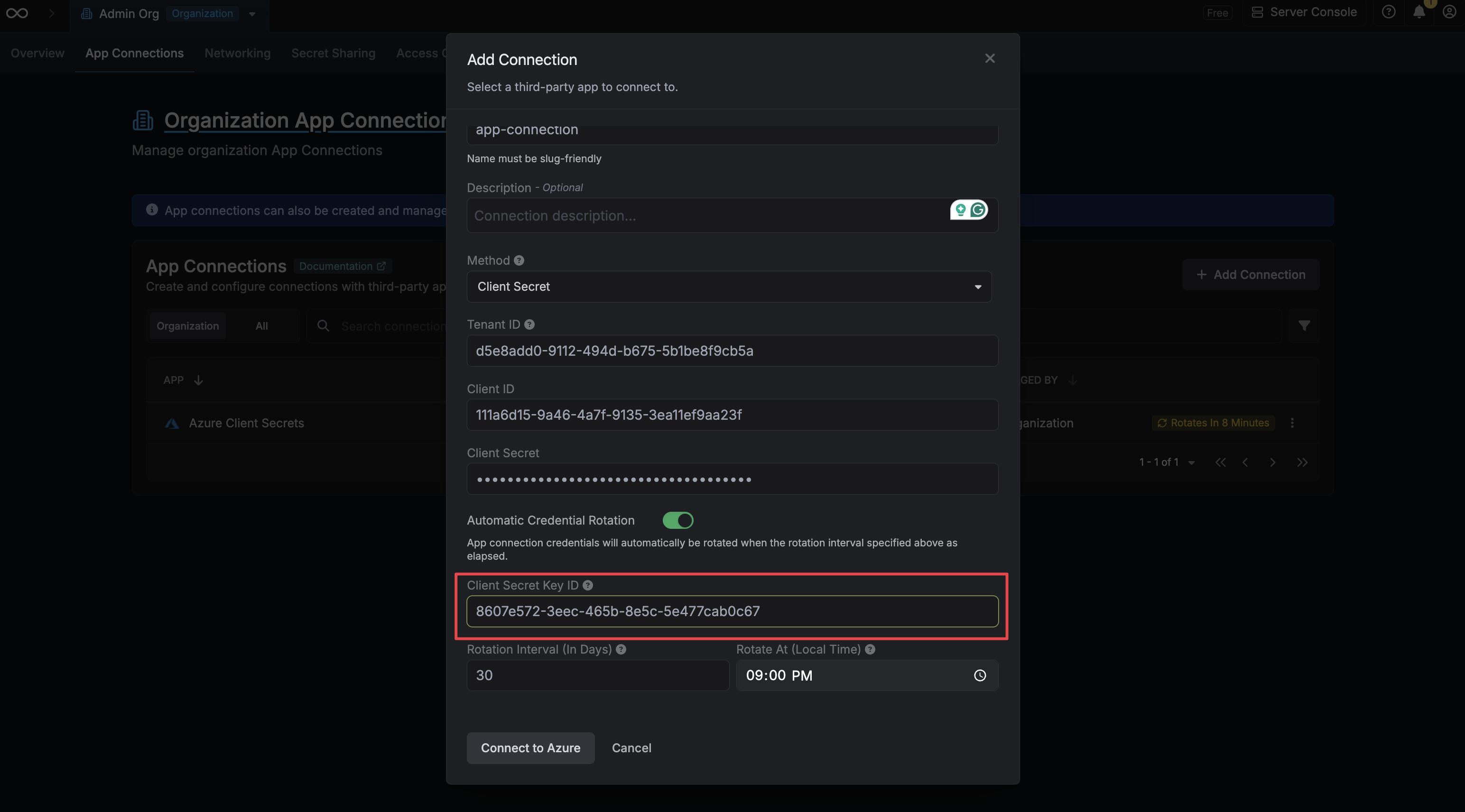
Configure the Rotation Schedule
Set the Rotation Interval (in days) to define how often the credential should be rotated, and set Rotate At to the local time of day at which the rotation should occur.
- Rotation Interval – How many days between each rotation.
-
Rotate At – The local time of day at which the rotation will be triggered.