

Infisical Gateways enables secure communication between your private resources and the Infisical platform without exposing inbound ports in your network. This guide covers everything you need to deploy and configure Infisical Gateways.Documentation Index
Fetch the complete documentation index at: https://infisical-saif-eng-4890-add-support-for-oracle-db-access-in.mintlify.app/llms.txt
Use this file to discover all available pages before exploring further.
Deployment Steps
Set Up a Relay Server
- Managed relay (Infisical Cloud, US/EU only): If you are using Infisical Cloud in the US or EU regions, you can use the provided managed relay.
- Self-hosted relay: For all other cases, you must deploy your own relay server. See the Relay Deployment Guide.
Create the Gateway in the UI
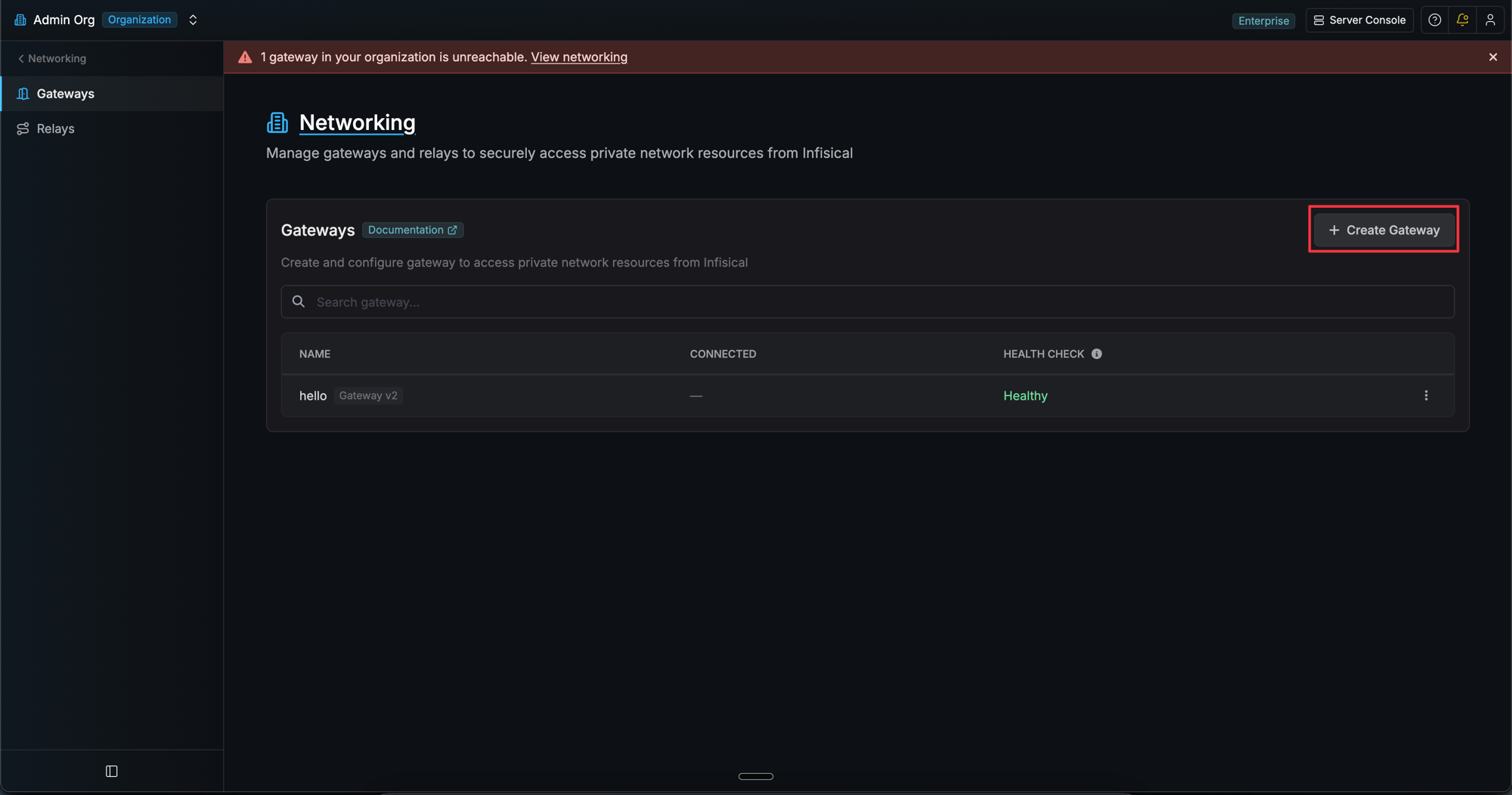
- Navigate to Organization Settings > Networking > Gateways.
- Click Create Gateway.
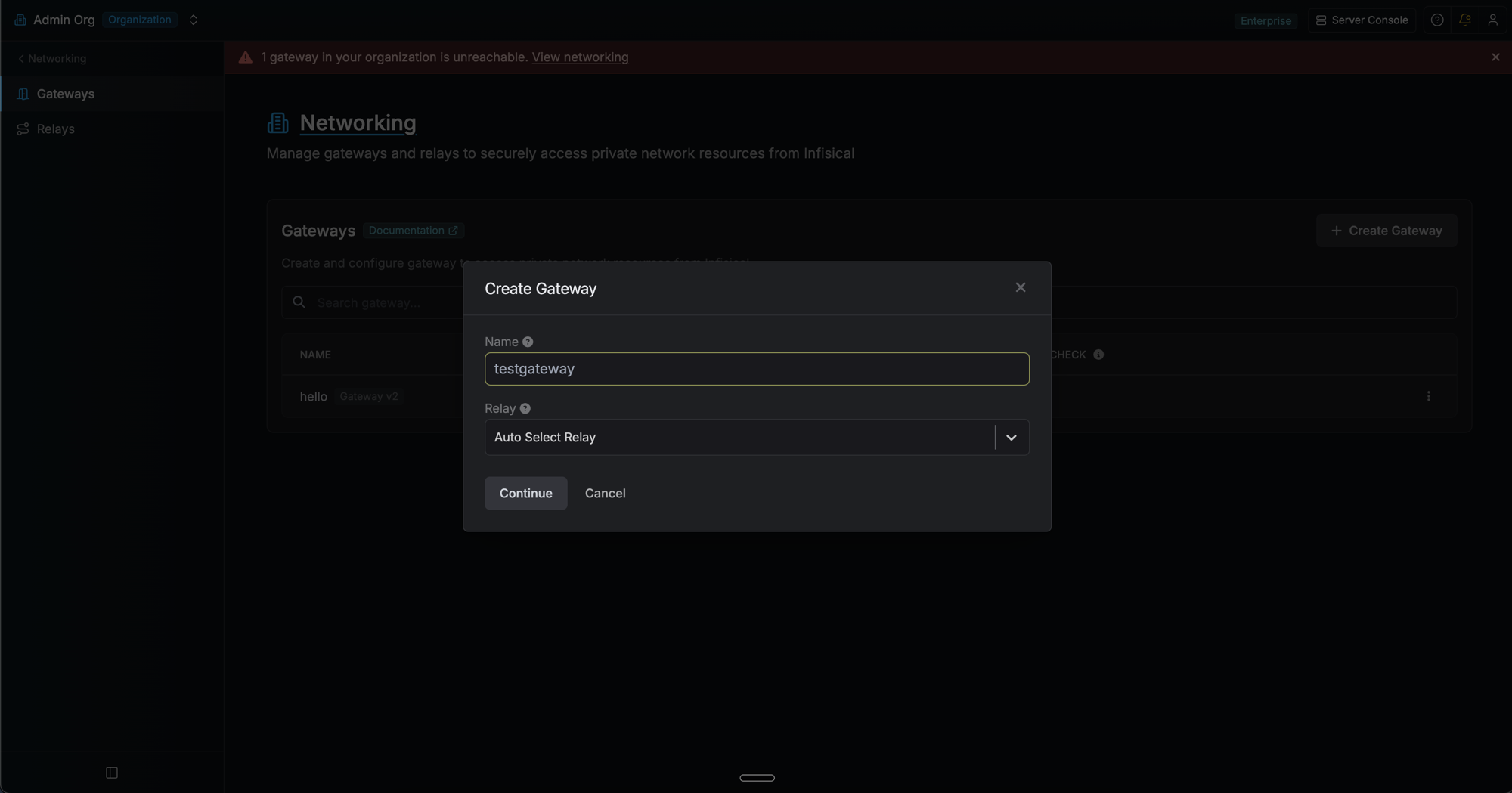
- Enter a name for the gateway.
- (Optional) Open the new gateway’s detail page and click the edit icon next to Authentication to switch the auth method. Two methods are supported:
- Token (default): a one-time enrollment token (1h expiry) bootstraps the gateway.
- AWS: the gateway authenticates by signing an
sts:GetCallerIdentityrequest with whatever AWS credentials it can resolve on the host (instance role, env vars, shared profile). Configure the allowed principal ARNs and/or account IDs that match your hosts.
- Click Show deploy command in the Deployment card. Pick a relay (or “Auto Select Relay”) and copy the generated CLI command.
Install the Infisical CLI
Configure Network & Firewall
| Protocol | Destination | Port | Purpose |
|---|---|---|---|
| TCP | Relay Server IP/Hostname | 2222 | SSH reverse tunnel establishment |
| TCP | Infisical instance host (US/EU, other) | 443 | API communication and certificate requests |
Run the CLI Command
Token Auth
Token Auth
- Linux (Production)
- Foreground
AWS Auth
AWS Auth
- Linux (Production)
- Foreground
Verify Your Gateway Deployment
- Check logs for “Gateway started successfully” message.
- Verify registration in the Infisical UI. Navigate to Networking > Gateways and confirm the gateway shows a “Healthy” status.
- Test connectivity by creating a resource that uses the gateway to access a private service.
Managing a gateway
From the gateway’s detail page (click the gateway row in the list):- Show deploy command — Generates a fresh enrollment token (token method) or re-displays the AWS start command. Clicking this on a token-method gateway does not disconnect the running gateway; the next login with the new token rotates credentials atomically.
- Edit auth method — Switch between Token and AWS, or update the AWS allowlists. Existing gateways keep their JWT until they restart and re-authenticate.
- Options → Revoke Access — Disconnects the running gateway and invalidates outstanding enrollment tokens. The gateway must re-authenticate to reconnect. Gated by the dedicated
revoke-gateway-accesspermission, separate fromedit-gateways. - Options → Delete Gateway — Permanently removes the gateway.
Frequently Asked Questions
Do I need to open any inbound ports on my firewall?
Do I need to open any inbound ports on my firewall?
- Outbound SSH to relay servers on port 2222
- Outbound HTTPS to Infisical API endpoints on port 443
- SSH reverse tunnels handle all communication - no return traffic configuration needed
How do I test network connectivity from the gateway?
How do I test network connectivity from the gateway?
- Test SSH port to relay:
- Test outbound API access (replace with your Infisical domain if different):
How do I troubleshoot relay connectivity issues?
How do I troubleshoot relay connectivity issues?
- Verify the relay server is running and accessible
- Check firewall rules allow outbound connections on port 2222
- Confirm the relay name matches exactly
- Test SSH port to relay:
How do I troubleshoot authentication failures?
How do I troubleshoot authentication failures?
Where can I find gateway logs?
Where can I find gateway logs?
- systemd service:
- Local installation: Logs appear in the terminal where you started the gateway
What happens if my enrollment token expires?
What happens if my enrollment token expires?
Where are gateway credentials stored?
Where are gateway credentials stored?
- Running as root/sudo:
/etc/infisical/gateways/<name>.conf - Running as a regular user:
~/.infisical/gateways/<name>.conf
/etc/infisical/gateway.conf. All config files are created with restricted permissions (0600).Can I run multiple gateways on the same machine?
Can I run multiple gateways on the same machine?
~/.infisical/gateways/my-gateway.conf). You can enroll and start multiple gateways in separate terminal sessions using different names.What happens if there is a network interruption?
What happens if there is a network interruption?
- Automatic reconnection: The gateway will automatically attempt to reconnect to relay servers if the SSH connection is lost
- Connection retry logic: Built-in retry mechanisms handle temporary network outages without manual intervention
- Persistent SSH tunnels: SSH connections are automatically re-established when connectivity is restored
- Certificate rotation: The gateway handles certificate renewal automatically during reconnection
- Graceful degradation: The gateway logs connection issues and continues attempting to restore connectivity